Changelog

Release history of Data Octopus Brain

Every week we describe what is new in the product, what works better and what we prepared for the next steps.

27.10.2026ObservationsGoogle AdsSecurity

Week 20–27.10.2026 – a new observation card view and new recommendations

This week we introduced a new alternative observation card view and added observations about products without conversions and sudden changes in Google Ads visibility. More observations and a second version with a stronger focus on business context are in the works.

New observation view

  • Listening to user feedback, we introduced a new alternative observation card view. Its purpose is to organise information better and simplify working with an observation – from understanding the data and the steps used to create it to the recommended actions.

Data and method
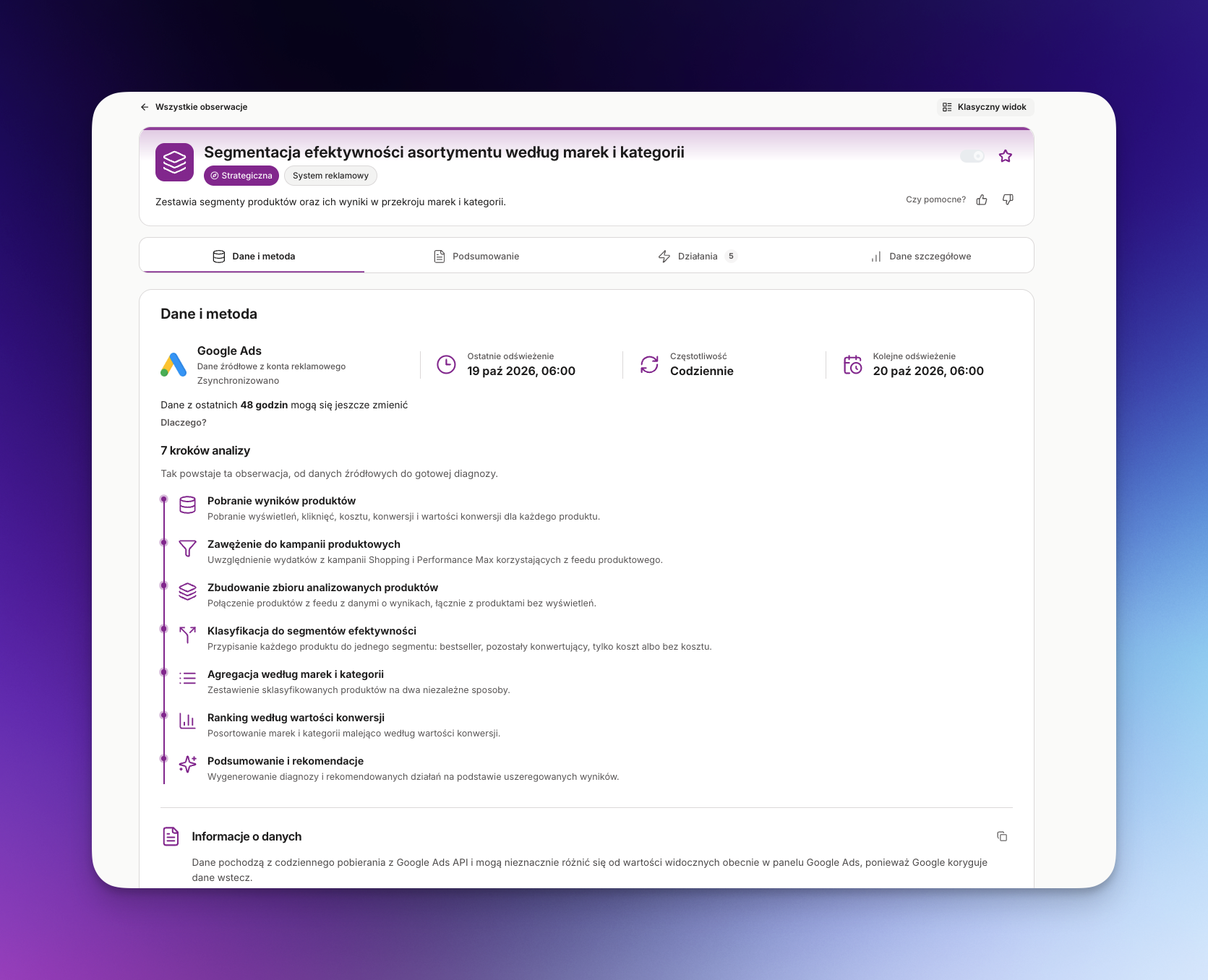
Data and method in the new Data Octopus Brain observation card view
  • See where the data comes from, when it was refreshed and how the observation was created step by step. Information about update frequency and possible data adjustments helps you interpret the results correctly.

Summary
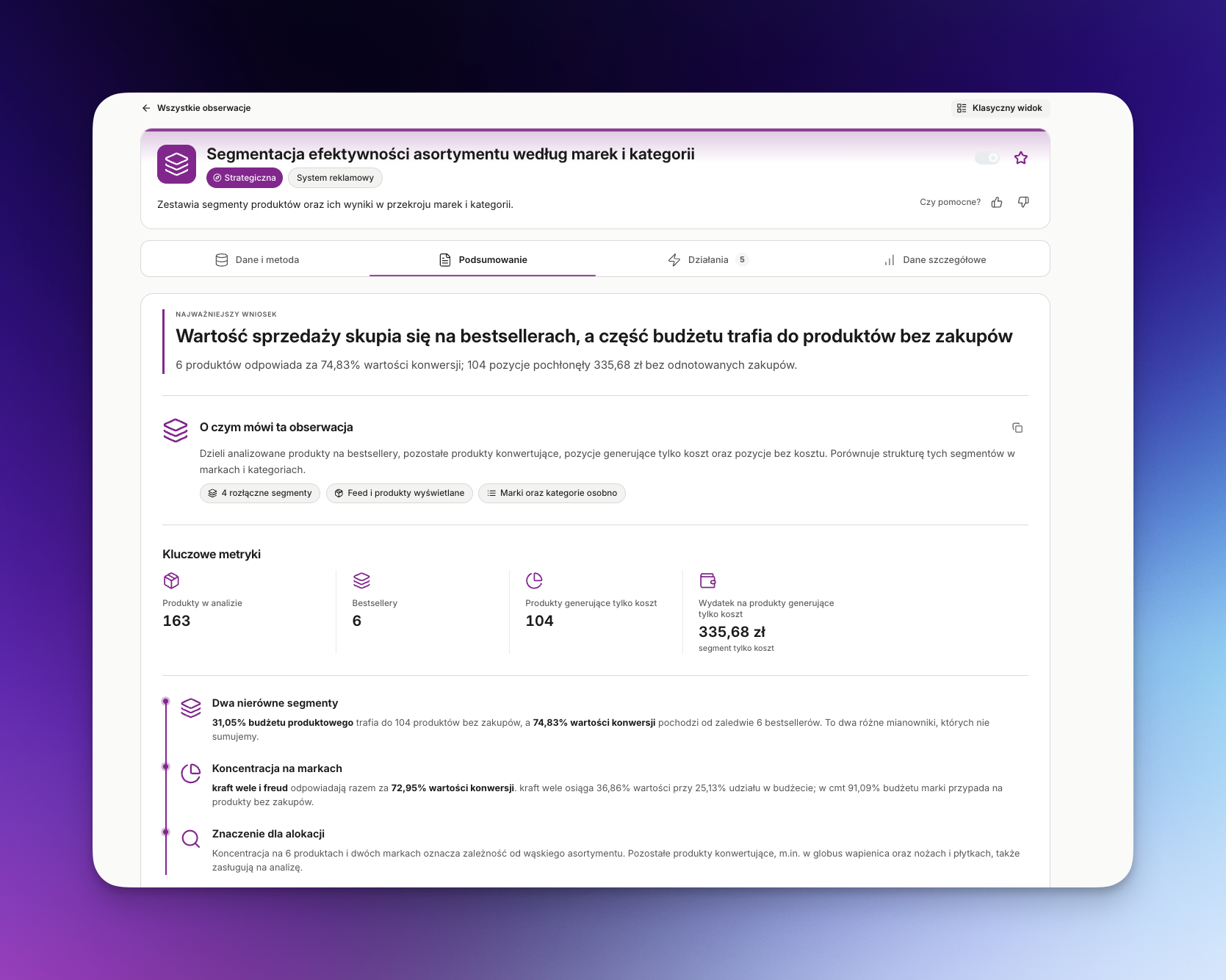
Observation summary with key metrics and a business conclusion
  • Find the main conclusion, key metrics and their business significance in one place. Quickly assess the scale of a problem or opportunity without having to analyse every detail.

Actions
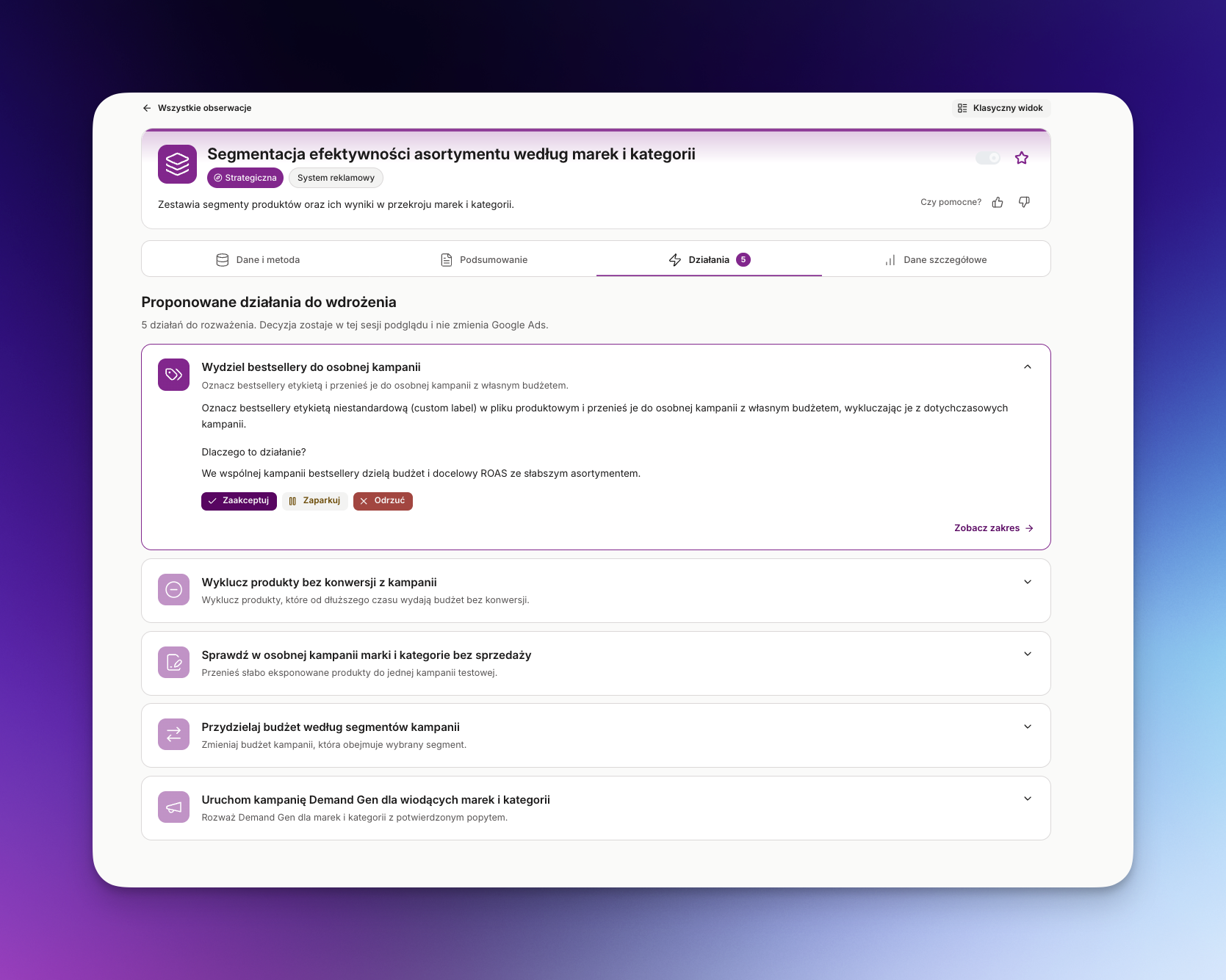
Recommended actions and decisions in the observation card
  • Find specific recommendations for campaign changes, with explanations and the option to review their scope. You can approve, park or reject them, but making a decision in this view does not yet apply changes to Google Ads.

Detailed data
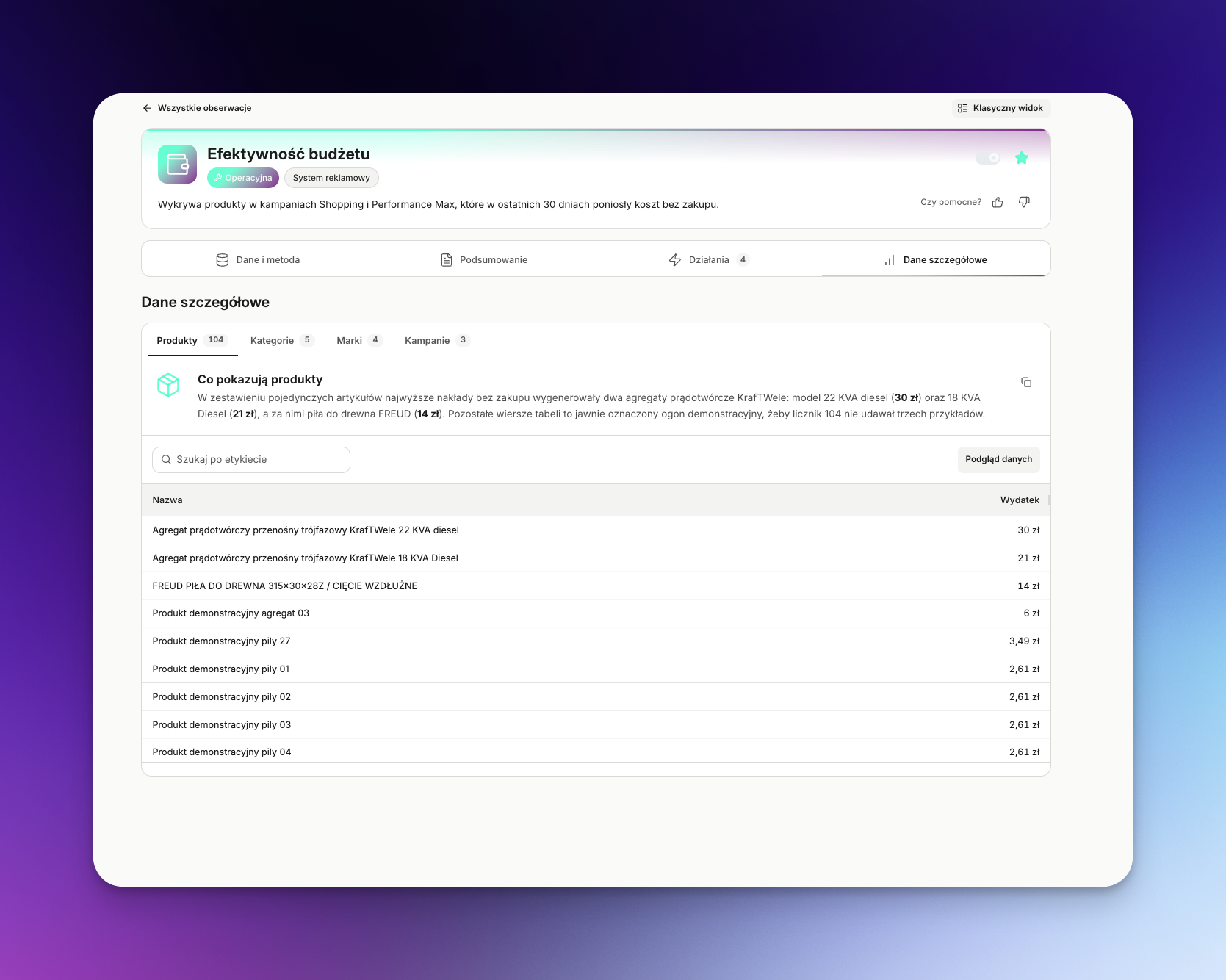
Detailed product, category, brand and campaign data in an observation
  • Move from the overall conclusion to specific products, categories, brands and campaigns and their results. Tabs and search make it easier to find items that need attention and verify the data behind a recommendation.

New observations

Budget drain on products without conversions in Shopping campaigns
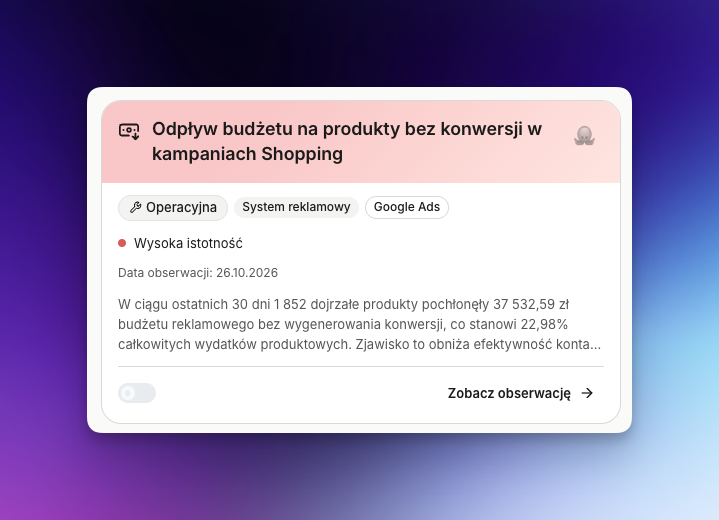
Observation of budget drain on products without conversions in Shopping and Performance Max
  • Identifies mature products in Shopping and Performance Max campaigns that have spent budget without generating a single conversion, how much this costs and which campaigns, brands and categories account for most of the drain.

Sudden change in Google Ads visibility
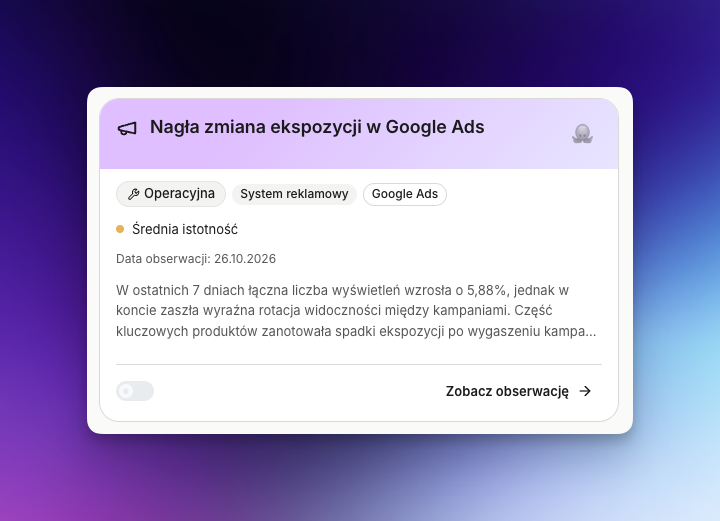
Observation of a sudden change in product impressions in Google Ads
  • Shows which products, brands, categories and Shopping and Performance Max campaigns have suddenly gained or lost Google Ads impressions, comparing the last 7 days with the previous 7 days. A product that is not seen has no chance of selling, and one shown several times less often at the same conversion rate generates proportionally fewer sales, so a quick response matters.

In the works

  • More Google Ads observations. We're preparing suggestions to help spot keywords that spend budget without conversions, reduce their share and move funds to more effective campaigns.
  • Faster Google Ads connection. We're preparing the option to connect your Google Ads account during company setup, even while the data environment is still being created. The connection will show as being configured and will activate once setup is complete, so you can start earlier without waiting for the whole environment. The feature isn't available to all customers yet.
  • MCP server. We're working on an MCP server for Data Octopus Brain. It will let you talk to and work with Brain without leaving your favourite AI tools, such as ClickUp, Claude, Gemini or ChatGPT. It will also let you build agents and combine Brain's skills and knowledge with other information and tools you use.
  • Second version of observations. We're working on a second version of observations that will rely more on business context and take into account the feedback and recommendations users have shared so far.

Why it matters

A well-organised observation card makes it easier to move from data and method to conclusions and recommended actions. The new observations help find budget spent without conversions and spot changes in product visibility in Google Ads sooner.
20.10.2026Business contextObservationsSecurity

Week 13–20.10.2026 – your store's business context

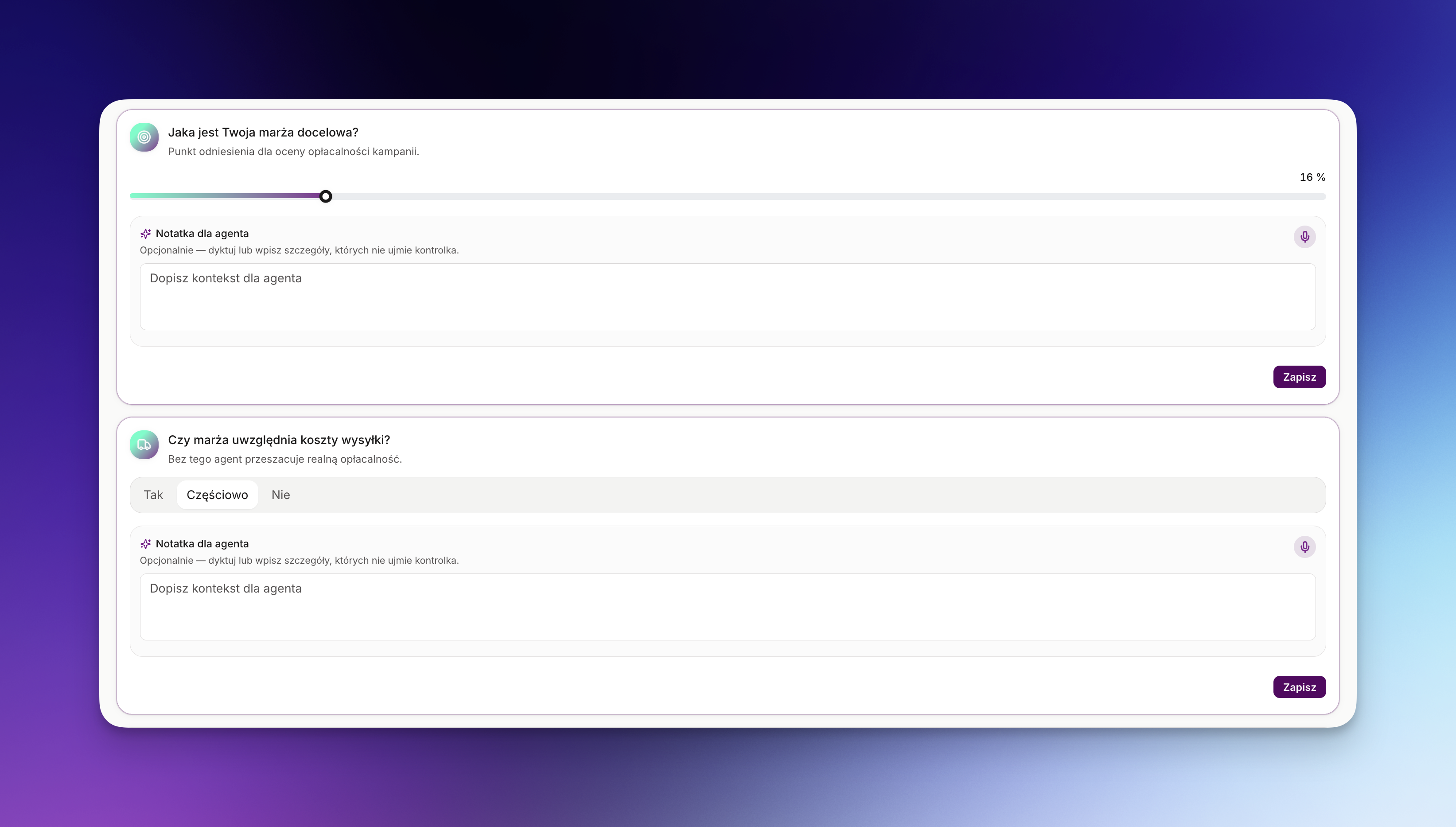
This week we focused on your store's business context, so that observations and recommended actions better reflect its goals. Context is the knowledge about your store that isn't in the data: goals, margins, priorities and seasonality. With it, Data Octopus Brain recommends what makes sense for you specifically.

What's new in Data Octopus Brain

  • You can paste relevant additional data. At the end of each section you can add extra information. If you have internal documents that describe your customer profile or your store's seasonality well, add them – Brain will take them into account in its work for you.
  • Privacy and security. No data in your context is used to train AI models, and it never leaves your isolated environment.
  • Context changes. Just like your goals. If you want to modify or overwrite something in your context, you can do it at any time. In the future you'll see exactly which user changed what, and when.

9 areas of knowledge about your store

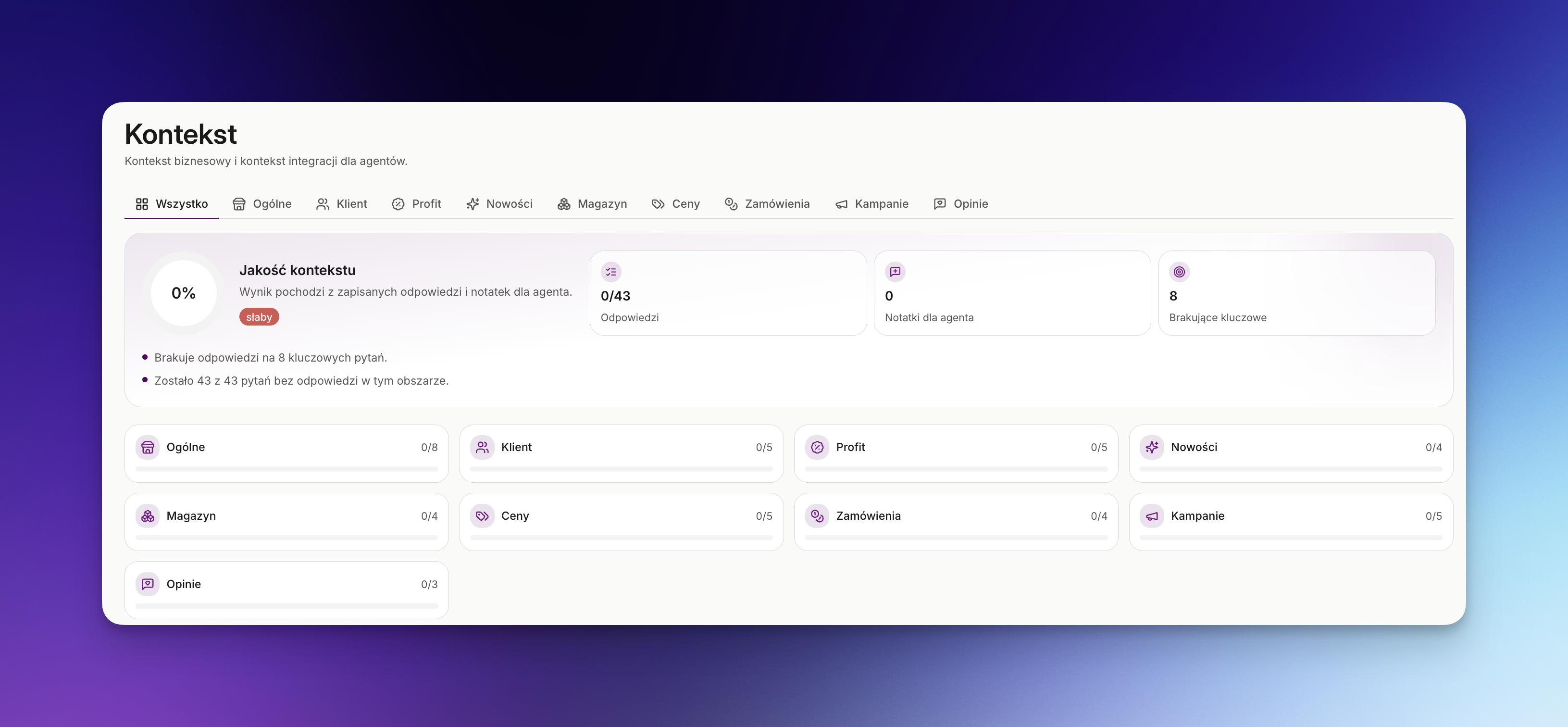
9 business context areas in Data Octopus Brain
  • Business context is over 40 questions split into 9 areas: general, customer, profit, new products, stock, pricing, orders, campaigns and reviews.

3 to 8 questions in each area

Questions with selectable answers in the business context
  • Each area has questions with a friendly way to answer them – you choose instead of typing.

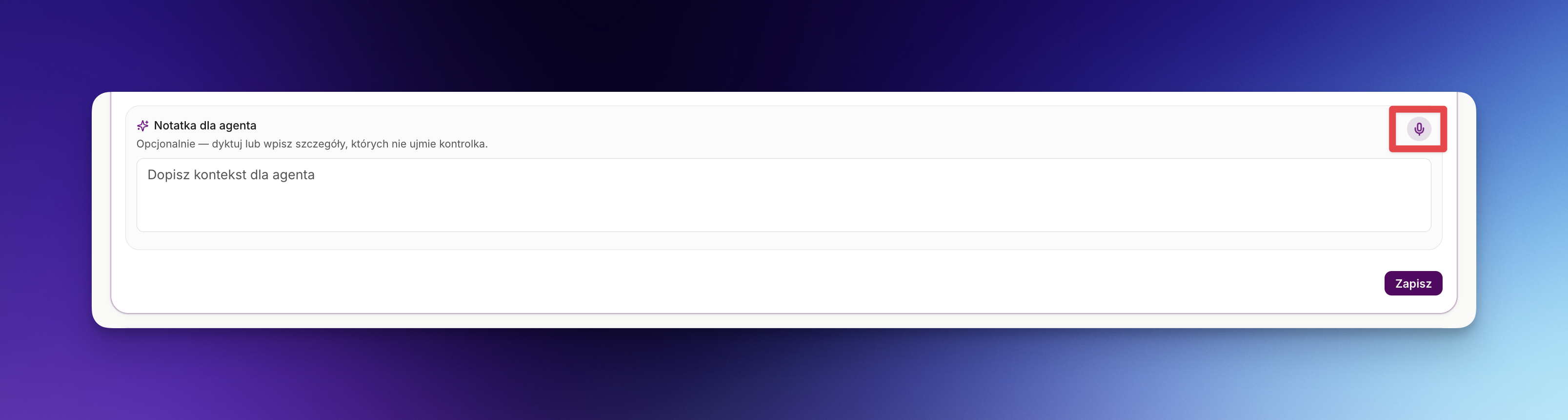
You can speak instead of typing

Dictating answers by voice in the business context
  • If you'd rather speak than type, you can do it easily with speech to text.

In the works

  • Faster Google Ads connection. We're preparing the option to connect your Google Ads account during company setup, even while the data environment is still being created. The connection will show as being configured and will activate once setup is complete, so you can start earlier without waiting for the whole environment. The feature isn't available to all customers yet.
  • MCP server. We're working on an MCP server for Data Octopus Brain. It will let you talk to and work with Brain without leaving your favourite AI tools, such as ClickUp, Claude, Gemini or ChatGPT. It will also let you build agents and combine Brain's skills and knowledge with other information and tools you use.
  • Improved observation and action cards. We're working on a new look that, thanks to better UX/UI, will make working with observations much clearer and more comfortable.
  • Second version of observations. We're working on a second version of observations that will rely more on business context and take into account the feedback and recommendations users have shared so far.
  • More Google Ads observations. We're working on more observations based on Google Ads and business context. We aim to add at least 5 in the next 2 weeks.

Why it matters

Data tells what, context tells why. A completed context means observations and actions fit your store's goals, margins and priorities instead of relying on generic rules.

13.10.2026Google AdsObservationsNotifications

Week 06–13.10.2026 – more Google Ads observations and more confident budget decisions

This week we extended the Google Ads observation path with new signals about new products, budget cannibalisation and non-converting searches. We also improved how observations and email notifications are delivered, so you move from signal to decision more easily without working on misleading results.

What's new in Data Octopus Brain

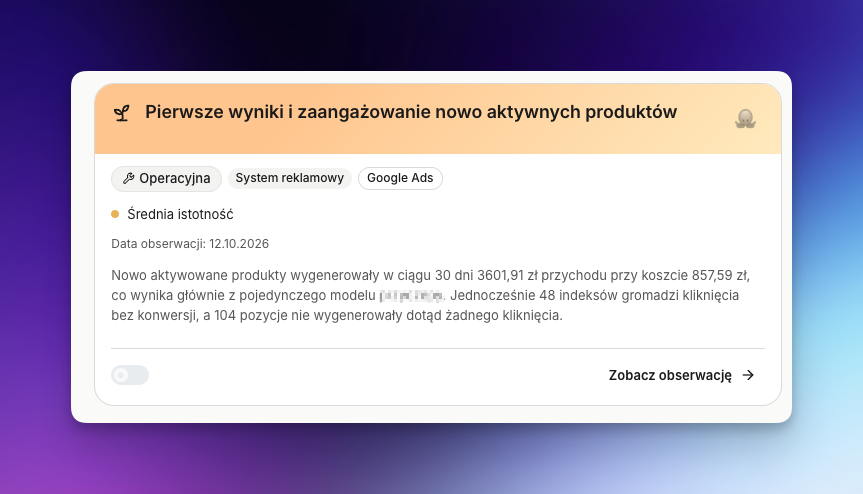
Observation – Newly active products

Newly active products – in Data Octopus Brain
  • Tracks products that have started showing and are collecting their first clicks or conversions – so you can separate promising newcomers from bestsellers, give them appropriate exposure, and check or limit products with cost but no sales sooner. The observation also comes with advisory actions that help turn the signal into a decision about the campaign, budget or offer.

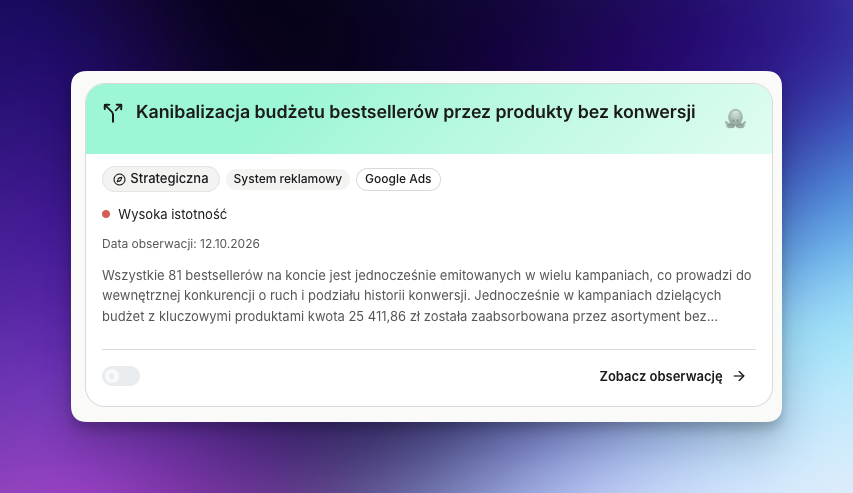
Observation – Bestseller cannibalisation

Bestseller cannibalisation – in Data Octopus Brain
  • Shows products that actually appear in more than one campaign and scatter data and budget – you find campaign conflicts faster, tidy up your assortment and regain control over bestseller exposure.

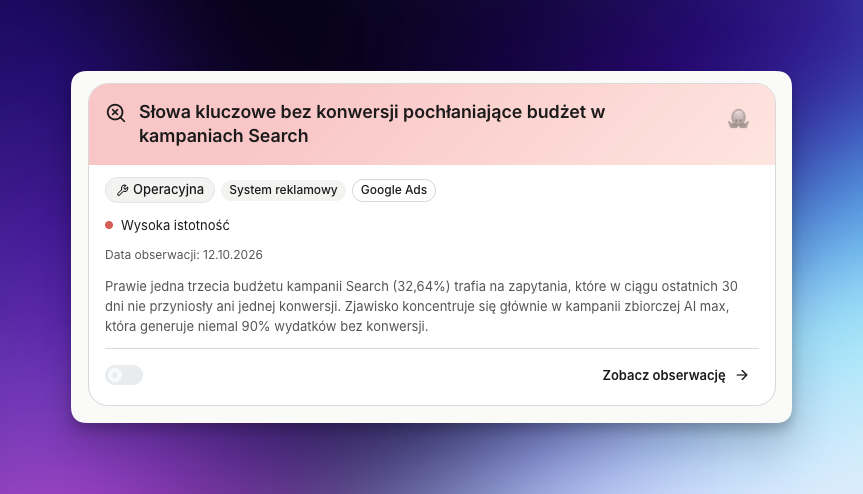
Observation – Non-converting search terms

Non-converting search terms – in Data Octopus Brain
  • Detects queries that incur cost without a purchase, taking into account whether a sale happened via another path in the same ad group – you can cut the real sources of waste instead of removing queries that actually support sales.

What works better in Data Octopus Brain

A calmer observation delivery rhythm

  • Google Ads-based observations reach you Monday to Friday, between 08:00 and 20:00. The series is spread over 10 working days, so you don't have to check messages at the weekend and can plan your work more easily.
  • Observations are now ordered along the product path, and new observations join the same series without restarting steps already sent. Each subsequent signal completes the picture of the problem instead of mixing priorities and forcing you through the whole series again.

More reliable data for budget decisions

  • Fix: data not yet ready for an observation – a result whose data has not been prepared yet is marked as no data instead of an empty success – you can tell “there is no problem” apart from “the data isn't ready yet” and won't move budget based on an incomplete picture.
  • Fix: stalled data refresh – processes that stopped mid-refresh can return for another attempt and report the problem instead of staying in a loading state indefinitely – you know sooner that the data needs a retry rather than manual investigation.
  • Fix: shared Google Ads account costs – spend is attributed to the correct store even when the ad account is shared – you compare the store's true cost and don't react to double-counted spend.

An easier start for invited people

  • Fix: access after accepting an invitation – company membership is granted immediately upon acceptance – the new person joins the company without waiting for an extra refresh or asynchronous processing.
  • Fix: email for a new person – a new invitation contains a single working link to sign up and accept the invitation – fewer mistakes and fewer questions about which email to open.

In the works

  • Status: in progress: new Business context module – we are building a place that will replace the current Context shortcut and combine company information with Google Ads signals – eventually you will more easily match the interpretation of observations to your business goals and fill in the context needed for decisions faster.
  • Status: in progress: observation of spend on products without conversions – we are developing a signal combining the current catalogue, recent cost and campaign results to pinpoint products generating spend without sales more precisely – eventually you will recover funds from unavailable, inactive or underperforming products faster. The observation is not yet available in the product.

Why it matters

New observations and more reliable data help you tell real budget waste from temporary signals faster, while a structured notification rhythm makes it easier to plan decisions across the week.

06.10.2026Google AdsObservationsData

Week 29.09–06.10.2026 – more reliable data and smoother work with insights

We added more observations and the recommended actions that follow from them. We are receiving the first ratings of recommended actions and feedback – thank you very much. Refreshing is better protected against limits, analyses communicate their status more clearly, and the panel makes it easier to return to an insight and find the right context.

What's new in Data Octopus Brain

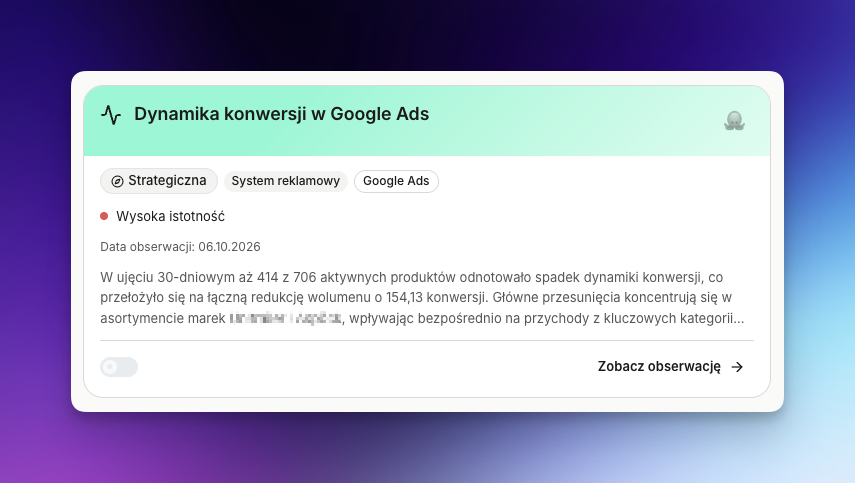
New observation – Conversion momentum in Google Ads

Conversion momentum in Google Ads observation in Data Octopus Brain
  • Shows which products are gaining and which are losing conversion momentum in Google Ads by comparing the last 30 days with the previous 30 days, so you can scale the leaders and diagnose weakening products before it turns into lost revenue.

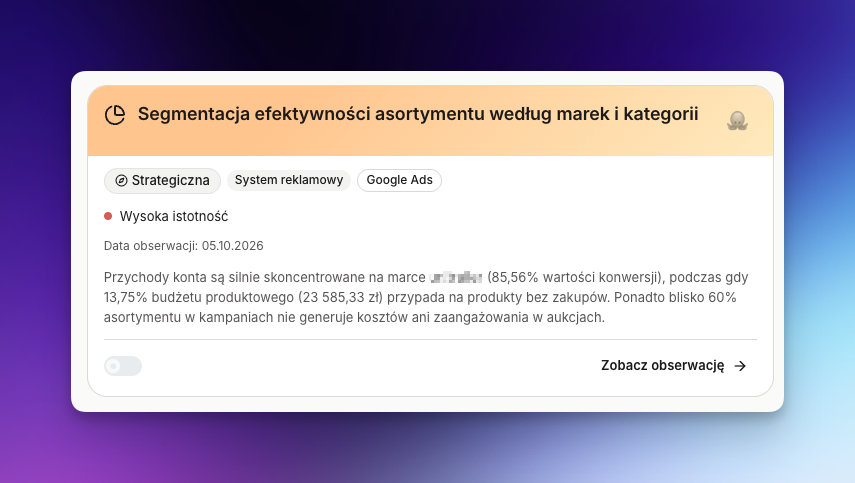
New observation – Segmentation by brand and category

Segmentation by brand and category observation in Data Octopus Brain
  • Splits products eligible to serve and products that were shown in the analysed period into bestsellers, other converting products, cost-only products and zero-cost products, then groups them by brand and category to show where budget should be kept, reduced or scaled.

WHAT WORKS BETTER IN DATA OCTOPUS BRAIN

More reliable Google Ads data refresh

  • Fix: protection against Google Ads limits – when the daily request quota is nearly used up or the provider signals a temporary block, the system stops forcing further downloads and keeps pending jobs to resume later – fewer interrupted refreshes and manual retries.
  • A more consistent data and insight schedule – source data is downloaded first, then prepared for analysis, enriched with context and only then used to generate insights – you can trust sooner that conclusions reflect the current state of the account.

More trustworthy budget efficiency conclusions

  • Clearer explanation of product age – the description explains that the maximum age value means at least that many days of availability for evaluation, not the exact product age – you interpret results correctly and don't allocate budget based on a misleading assumption.

Easier work with insights in the panel

  • Faster return to the source of a decision – an action links back to the insight it relates to, so before deciding you can immediately check the full context, data and rationale.
  • Clearer time and navigation – dates are shown in local time, dimension search refreshes the right view, and panel scrolling stays within its area – less time spent finding the right data and views.

Behind the scenes

  • Status: in progress – we are building notifications when the first data load completes and messages tied to new insights. The feature is not available yet; eventually you will notice data readiness and new signals sooner, without checking the panel manually.

Why it matters

More observations built on more reliable data mean you know sooner which products, brands and categories to scale and which need attention.

28.09.2026Google AdsObservationsActions

Week 22–28.09.2026 – more context for decisions and more reliable data

This week we expanded Google Ads observations so you can move from signal to decision faster: you get a fuller picture of spend and conversions, and guidance on next steps is organised in one place.

What's new in Data Octopus Brain

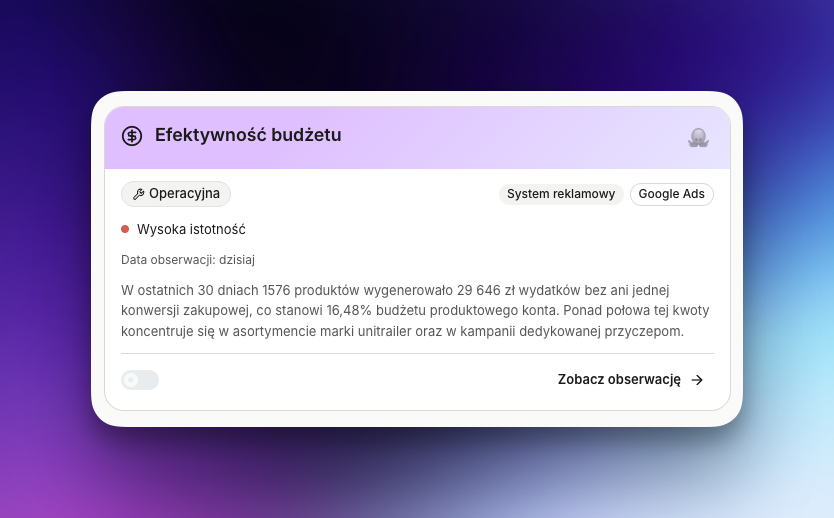
New observation – Budget efficiency

Budget efficiency observation in Data Octopus Brain
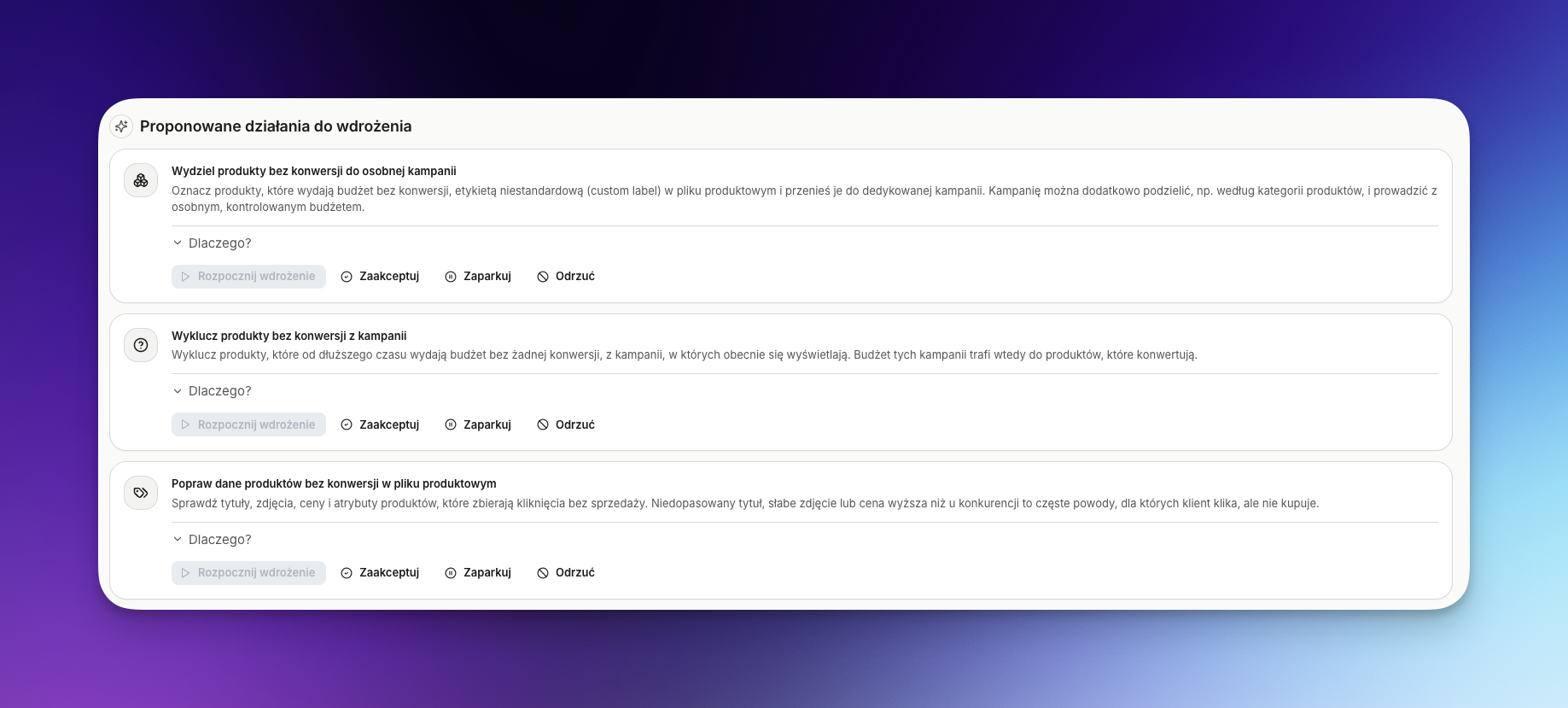
  • The budget efficiency analysis shows total spend across Shopping and Performance Max campaigns, the share of spend without purchases and the number of affected campaigns. This lets you quickly judge how much budget needs to be recovered and where to increase exposure for better-performing products, brands or categories.
  • The tables show purchases, add-to-carts, checkout starts and other conversions separately. Purchase conversions remain the basis for judging sales, while earlier signals show whether a product attracts interest despite no final purchase — so you can tell a demand problem from a problem closing the sale.

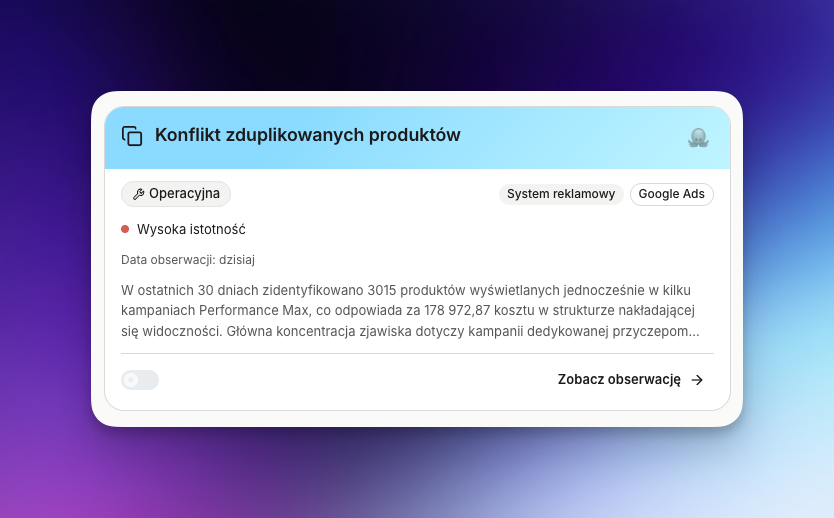
New observation – Duplicate product conflict

Duplicate product conflict observation in Data Octopus Brain
  • Flags products that in the last 30 days had actual impressions in at least two different Shopping or Performance Max campaigns. Showing the same product in many places scatters conversion data and budget, which makes Smart Bidding's job harder and lengthens its learning phase.
  • The report separately highlights products present in both Performance Max and a standard Shopping campaign, where Performance Max naturally takes most of the traffic. The analysis is based on real impressions, not just product group configuration, so it detects duplicates that actually happen. Results are ranked by the products and campaigns generating the highest cost, making scattered assortment quick to identify.

From signal to organised action

Actions linked to an insight in Data Octopus Brain
  • We replaced the generated recommendations block with organised Actions linked to the insight. For the budget efficiency and duplicate product analyses you'll see concrete directions, such as cutting spend on products without purchases, cleaning up the feed or separating competing product groups — making it easier to turn analysis into a decision and a split of work.
  • You can mark an action as accepted, postponed or rejected and add a reason.
  • In the current version Actions are advisory: they don't make changes in Google Ads automatically. That way you can assess a proposal first and decide which changes really fit your budget plan.

WHAT WORKS BETTER IN DATA OCTOPUS BRAIN

More reliable data for comparisons

  • Late-attributed conversions – refreshes now re-fetch earlier chunks of data and match the range to the maximum attribution window set on the account – so the report no longer overstates spend without conversions just because a sale was attributed late.
  • Assigning products to groups – each product lands in one consistent combination of title, brand and category instead of being split across variants – brand, category and campaign comparisons are clearer, and the same spend no longer looks like several separate problems.

Clearer observations and everyday work in the app

  • Insights are now presented in Polish with correct Polish characters, fuller descriptions of analysis steps and clear icons. The duplicate product analysis also shows the number of duplicated products and the contested budget, so you see the scale of the problem faster without digging through the description.
  • Fix: data source error messages – known Google Ads issues are translated into short, specific messages instead of raw technical details – you know right away whether to re-authorise, grant consent or check account data.

Faster start after connecting data

  • A new Google Ads connection starts with 180 days of history instead of 24 months. This means the first data and insights can be ready sooner; the change applies only to new connections — existing data ranges stay unchanged.

Behind the scenes

  • Status: in progress – we're working on connecting Google Merchant Center, choosing the main feed and regular product catalogue sync. The feature isn't available yet; it will reduce manual product data preparation and give insights fuller assortment context.

Why it matters

You can move faster from information about spend without purchases to a concrete decision: what to cut, what to check and where to redirect recovered budget. A fuller picture of conversions, more frequent refreshes and more consistent product grouping reduce the risk of wrong conclusions, and organised Actions cut down on manually rewriting insights into a to-do list.

21.09.2026Google AdsDataObservationsActions

Period 11–21.09.2026 – more reliable Google Ads data and the groundwork for Actions

In this period we focused on making Google Ads data refresh reliably, including on large accounts with hundreds of thousands of SKUs. In parallel we prepared new observations and the groundwork for actions, so that the next iterations can not only recommend specific actions but also execute them through the APIs of third-party systems.

What is new in Data Octopus Brain

New observations around budget, keywords and new products

  • Observation: non-converting search terms – catches queries that spend budget without sales, so you can cut unwanted phrases faster and move the money to terms that actually deliver results.
  • Observation: assortment performance by brand and category – shows which brands and categories pull results up and which mainly consume budget, so you can shift exposure and bids toward the most profitable parts of the assortment.
  • Observation: early growth of newly active products – spots products that have only just started spending budget yet already show potential, letting you add exposure quickly before competitors capture that demand.
  • Observation: bestsellers competing for budget – identifies situations where strong products fight over the same budget, so you can split them into separate campaigns or budgets and stop your best sellers from holding each other back.

New views and data freshness statuses

  • New store home page and integration/data source views – a new starting page together with integration and data source views, with room for favourites and next actions, so you reach the most important stores, accounts and recommended steps faster instead of clicking through menus.
  • Automatic statuses for connecting and refreshing – automatic statuses for each step: connecting a source, refreshing data and preparing observations, so in one place you see whether the data is ready, whether something is still running and where you may need to react.

What works better in the product

More reliable Google Ads data refresh

  • Fix: refreshing data on large accounts – we separated the daily refresh from heavier historical backfills and split the work into smaller chunks, so refreshes now complete correctly even on large accounts with hundreds of thousands of SKUs.
  • Fix: automatic resume of interrupted imports – we added automatic retries for selected import stages after specific errors, so instead of restarting the process by hand you have a better chance of a complete refresh running in the background.

Broader context for budget decisions

  • Fix: data window matched to the conversion period – we aligned the Google Ads data window with the maximum conversion period configured on the account, so daily reports reflect real results more closely.
  • Fix: fuller history of campaign and product changes – we reorganised how data about campaigns, products and search terms is stored over longer periods, so observations can rely on a more stable history and period-over-period analyses are more trustworthy.

Behind the scenes

  • We built a controlled foundation for Actions: permissions, decision logging and safe execution of changes in external systems – the base that lets future versions not only detect problems but also help you fix them without manually repeating steps in other tools.
  • We tidied up the foundations for developing observations and integrations further, so adding new data scopes does not reduce the consistency and quality of results – the goal is for every new observation to build on a solid, proven context.

Why this matters

After these changes you can trust more that Google Ads data is closed and complete for the period that really decides campaign results – especially on larger accounts. That makes it easier to compare periods without wondering whether something will still be added, to spot the products, brands and categories that truly drive sales, and to quickly catch places where budget is wasted or strong products block each other. At the same time we are preparing views, statuses and the groundwork for Actions, which should mean less manual report watching and more time for strategic decisions.

10.09.2026Google AdsDataActions

Week 04–10.09.2026 – more reliable data and a broader base for insights

This week we focused on making the data behind your decisions more stable and broader in context. We hardened Google Ads imports, extended the range of data available to upcoming analyses and laid a safe foundation for moving from insight to action.

What is new in the app

  • Data Octopus can use a wider range of Google Ads data — including additional information about products, campaigns and search terms. Upcoming insights can therefore take more signals from daily advertising work into account.
  • We prepared a stronger base for developing actions executed on the back of insights. It is still a preparatory stage, but it will make the move from spotting a problem to a concrete decision easier.

What works better in the app

  • Google Ads imports are more resilient to complex data that could previously stop a write mid-refresh. The risk that the nightly data preparation ends with an incomplete result is now lower.
  • For the heaviest ranges the data is split into smaller chunks, which reduces the risk of a long refresh breaking and helps keep a steadier update rhythm.
  • New data is prepared in a predictably configured environment, which makes it easier to keep the next processing and analysis steps consistent.

Behind the scenes

  • We built the foundation for safe Actions: the product now has a place to store proposals, decisions and permissions. The feature itself is not available yet, but the next steps will be able to rely on a consistent and controlled process.
  • We tidied up how we develop the data and integration layer so new sources and further insights can be added more predictably.

Why it matters

You can count on steadier data refreshes and more context for upcoming insights. This week the most important effect was not one big interface change, but strengthening the foundations that help the product deliver more reliable conclusions and grow further capabilities without losing control over quality.